
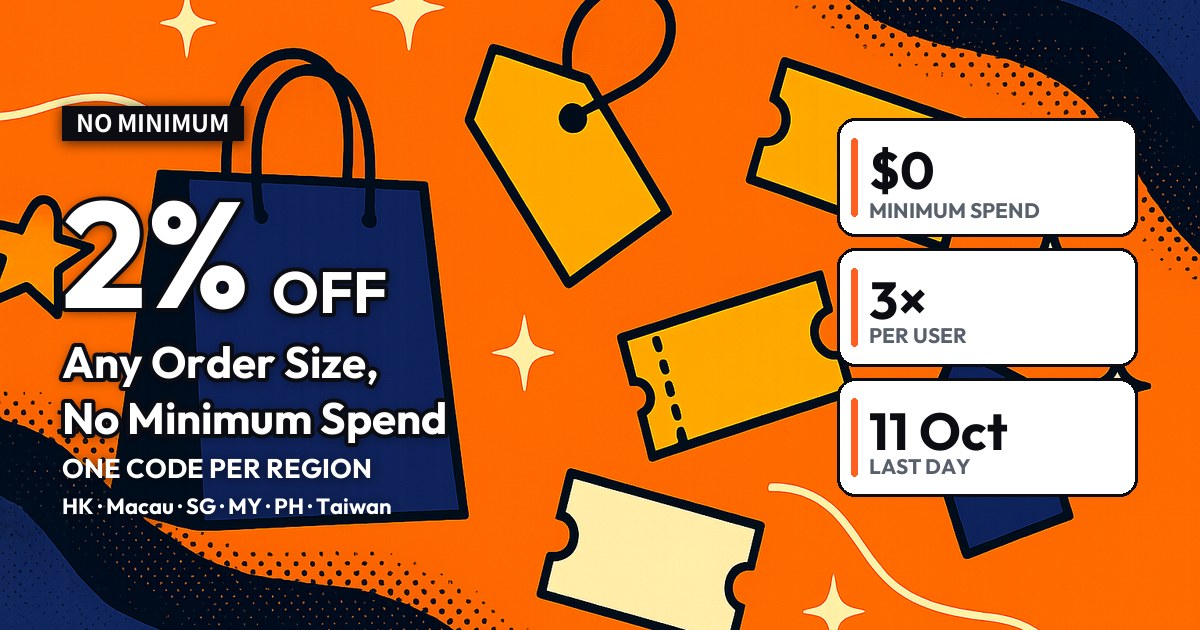
The Collect2Day 2% off promo code is here for early October. Hong Kong, Macau, Singapore, Malaysia, the Philippines and Taiwan each have their own code: 2% off with no minimum spend, up to a cap set for each region, and each registered user can use it 3 times. Codes can be redeemed from 1 to 11 October 2026 and must be used by 11 October.
Below: the code for your region, the terms, the four steps to use it, and the four reasons a code gets rejected.
The short version
- The Collect2Day promo code gives 2% off with no minimum spend — any order size works. The discount is capped, and each of the six regions has its own code and cap.
- Each registered Collect2Day user can use it 3 times during the promotion, and a code only works for users in its own region.
- Redeem it in your Coupon Wallet first, then select the right coupon before you submit the order. Codes expire after 11 October.
What’s on this page
Your region’s Collect2Day 2% off promo code
Redeem the matching code in your Coupon Wallet, add your items, and select the coupon before you submit the order:
| Region | Offer | Promo code |
|---|---|---|
| 🇭🇰 Hong Kong | 2% off, no minimum (up to HKD $50) | HK1026C2P |
| 🇲🇴 Macau | 2% off, no minimum (up to MOP $50) | MO1026C2P |
| 🇸🇬 Singapore | 2% off, no minimum (up to S$8) | SG1026C2P |
| 🇲🇾 Malaysia | 2% off, no minimum (up to RM25) | MY1026C2P |
| 🇵🇭 Philippines | 2% off, no minimum (up to PHP 390) | PH1026C2P |
| 🇹🇼 Taiwan | 2% off, no minimum (up to TWD $200) | TW1026C2P |
There is no minimum spend — the 2% discount applies whatever the order total. The discount each time you use it will not go above the cap in the table. The app’s checkout screen shows the definitive discount.
Who it works for, and the terms
Two things have to be true:
- 1You are a registered Collect2Day user
Any registered account, new or existing, using the code for your own region.
- 2You redeem it first and select it before submitting
It is not applied automatically. Enter the code in the Coupon Wallet and tap Redeem, then select that coupon before you submit the order.
Terms and conditions:
| Term | Details |
|---|---|
| Redemption and use | The promo code can be redeemed from 1 October 2026 to 11 October 2026 and must be used on or before 11 October 2026. It expires after that date. |
| Selecting the coupon | The correct coupon must be selected before the order is submitted for the discount to apply. |
| Who and how often | Each region’s code is only valid for Collect2Day users in that region. Each registered Collect2Day user may use this promo code 3 times during the promotion period. |
Redeem the code in your Coupon Wallet
Log in to Collect2Day (new here? the registration guide walks you through signing up), open the Coupon Wallet in the app, paste your region’s code into the “Enter a coupon code” field at the top and tap Redeem; the code then becomes a coupon sitting in your wallet. The wallet only shows coupons for the region you are currently in, so check your region setting first.

A lowercase letter or a trailing space is enough to break it. Copy straight from this page: HK1026C2P, MO1026C2P, SG1026C2P, MY1026C2P, PH1026C2P, TW1026C2P.
Add items to your cart
Search the Collect2Day app for what you want and add it to your cart. There is no minimum spend, so a single item qualifies.
Fill in your delivery details
Make sure the delivery address is in your own region — the code is region-locked, and a mismatch between your address and the code will stop it applying.
Taiwan customs requires every inbound parcel to be verified through EZ WAY. It has nothing to do with the promo code, but skipping it strands the parcel at the delivery stage, so get it done before you order.
Pick the coupon before you submit
In the checkout price breakdown, select the 2% off coupon you just redeemed, confirm the total has dropped, then submit the order and pay. The right coupon has to be selected before the order is submitted — it cannot be applied afterwards.
Four reasons a code gets rejected
If checkout says the code is invalid, check these in order:
- 1It is outside the promotion
The codes on this page can only be redeemed and used from 1 to 11 October 2026.
- 2You used another region’s code
Codes are region-locked — a Hong Kong account entering the Taiwan or Singapore code will not be recognised.
- 3You have used all 3
Each registered user can use this code up to 3 times during the promotion.
- 4You selected it after submitting
The coupon has to be selected before the order is submitted; it cannot be added to an order already placed.
Questions people ask
Does the Collect2Day 2% off promo code have a minimum spend?
No. There is no minimum — any order gets 2% off, up to the cap.
What is the cap in each region?
Hong Kong HKD $50; Macau MOP $50; Singapore S$8; Malaysia RM25; Philippines PHP 390; Taiwan TWD $200.
How many times can I use it? Is it only for new users?
Every registered Collect2Day user, new or existing, can use it 3 times during the promotion.
Where do I enter the code?
In the app’s Coupon Wallet — type the code into the “Enter a coupon code” field at the top and tap Redeem. It becomes a coupon in your wallet, which you then select in the checkout price breakdown before submitting. It is not applied automatically.
If I redeem it on 5 October, how long do I have?
Whenever you redeem it, the code must be used on or before 11 October 2026. It expires after that.
Do buyers in Taiwan need EZ WAY verification?
Yes. Taiwan customs requires every inbound parcel to be verified through EZ WAY before it can clear and be delivered. Do it before you order.
Before you start
Three things worth checking before you use the code:
The offer is for registered users. Not signed up yet? Start with the Collect2Day registration guide.
New users have a separate first-order offer — see the Collect2Day first-order promo code guide.
The promotion is short, so use all 3 before 11 October.
Copy your region’s Collect2Day promo code and get 2% off, no minimum spend.
Shop on Collect2Day